
Best OBS Plugins in 2026 (And Which Ones OBS 32.2 Broke)
OBS 32.2 stopped third-party OBS plugins from loading on Mac. Here's how to fix them, which builds are Apple Silicon ready, and the best plugins for 2026.
If your OBS plugins vanished after an update, you're on a Mac and OBS 32.2 is the reason. The July 2026 release force-migrates Intel builds of OBS to Apple Silicon, and Intel-compiled plugins stop loading the moment that happens.
The fix is usually one reinstall. Below is what broke, how to get your plugins back, and the plugins worth running in 2026.
Plugin versions and Apple Silicon support were checked against each project's own release pages on August 15, 2026.
What OBS 32.2 changed
OBS Studio 32.2 shipped on July 21, 2026. Three changes in it affect plugins.
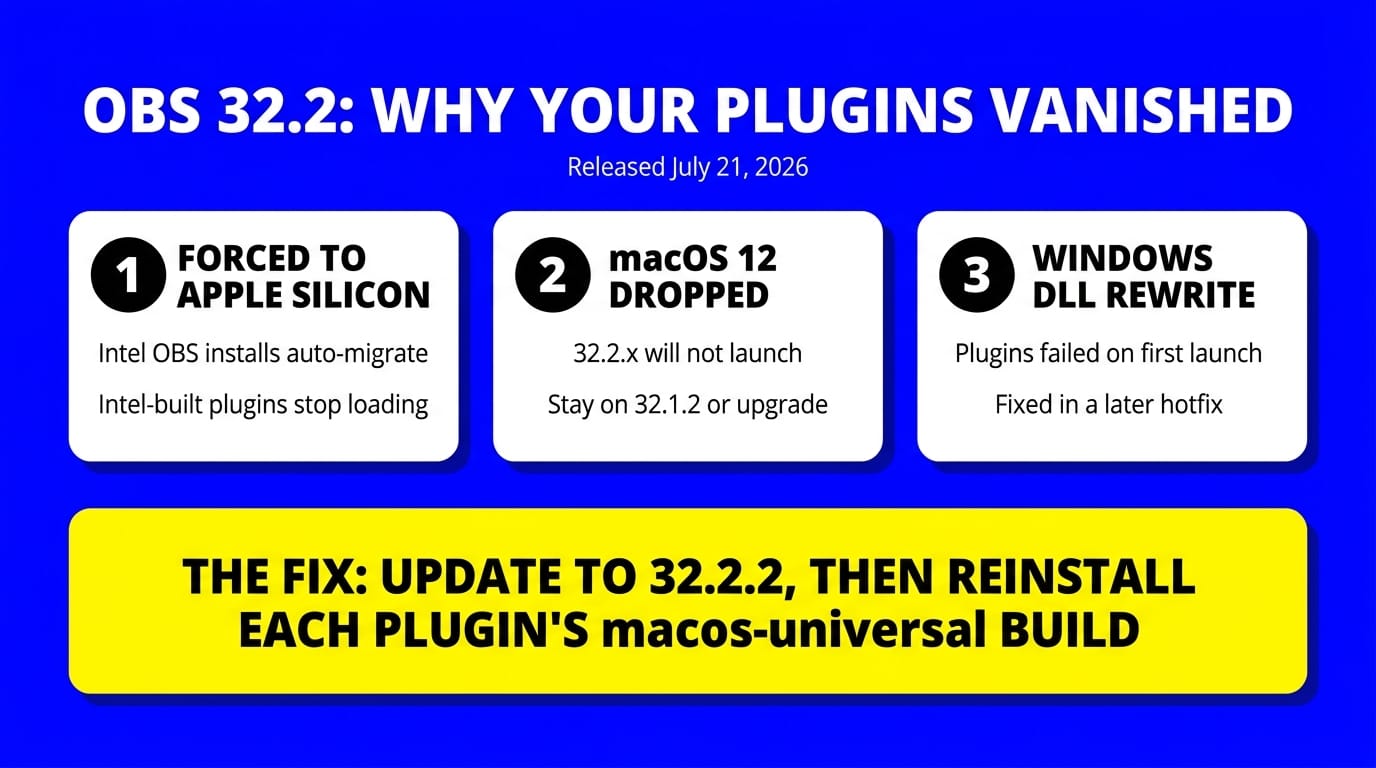
Macs get force-migrated to Apple Silicon. From the release notes: "Forced Intel-based installations to update to Apple Silicon version on macOS." If you bought an M-series Mac and restored from a backup, you may have been running the Intel build under Rosetta without knowing it. OBS now switches you to the native build.
The consequence, also verbatim from the release notes: "If an installation was using third-party plugins, those plugins will no longer load until replaced with Apple Silicon versions."
macOS 12 is dropped entirely. A Qt update means OBS 32.2.x won't launch on macOS 12 at all. OBS's own guidance is to stay on 32.1.2 if you're on Monterey. Supported now: macOS 13 Ventura and later.
Windows changed how it loads plugin files. 32.2 rewrote DLL loading to block DLL-planting attacks by removing the current directory from most DLL load calls. Plugins load through that same system. Some plugins with bundled dependencies failed to load on the first launch after updating, which a later hotfix addressed. Two hotfixes have shipped since: 32.2.1 on July 24 and 32.2.2 on August 14, 2026.
How to fix plugins that stopped loading
- Update OBS to 32.2.2. The Windows first-launch plugin failure is already fixed there. Start here before touching anything else.
- Reinstall the plugin from its current release. This solves it in most cases. The major plugins now ship macOS universal binaries that run natively on both Intel and Apple Silicon.
- Delete the old plugin first if the reinstall doesn't take. On macOS, plugins live in
~/Library/Application Support/obs-studio/plugins/. Press Cmd + Shift + G in Finder and paste that path. Remove the plugin's folder, then install the new version. - Check the architecture you downloaded. Installing an arm64 plugin against an Intel OBS build, or the reverse, throws a mismatch error. Files named
macos-universalwork either way. - If no Apple Silicon build exists, the plugin is done. Abandoned plugins won't come back. See the replacements below.
OBS's official plugins guide covers install paths for all three platforms.
Apple Silicon status of the plugins in this guide
| Plugin | Latest release | macOS build | Safe on 32.2? |
|---|---|---|---|
| Advanced Scene Switcher | 1.36.1 (Aug 7, 2026) | macos-universal | Yes |
| Move Transition | 3.2.1 (Feb 10, 2025) | macos-universal | Yes |
| Background Removal | 1.4.1 (Jul 26, 2025) | macos-universal | Yes |
| DroidCam OBS | 2.5.1 | x64 + arm64, lists OBS v32.2 | Yes |
| Closed Captioning | 0.33 | Intel and ARM | Yes |
| LiveReacting interactive overlays | n/a | Browser source, nothing compiled | Yes |
Every plugin below ships a current Apple Silicon build. If yours stopped working, you're running an old copy, not a dead project.
Best OBS plugins for 2026
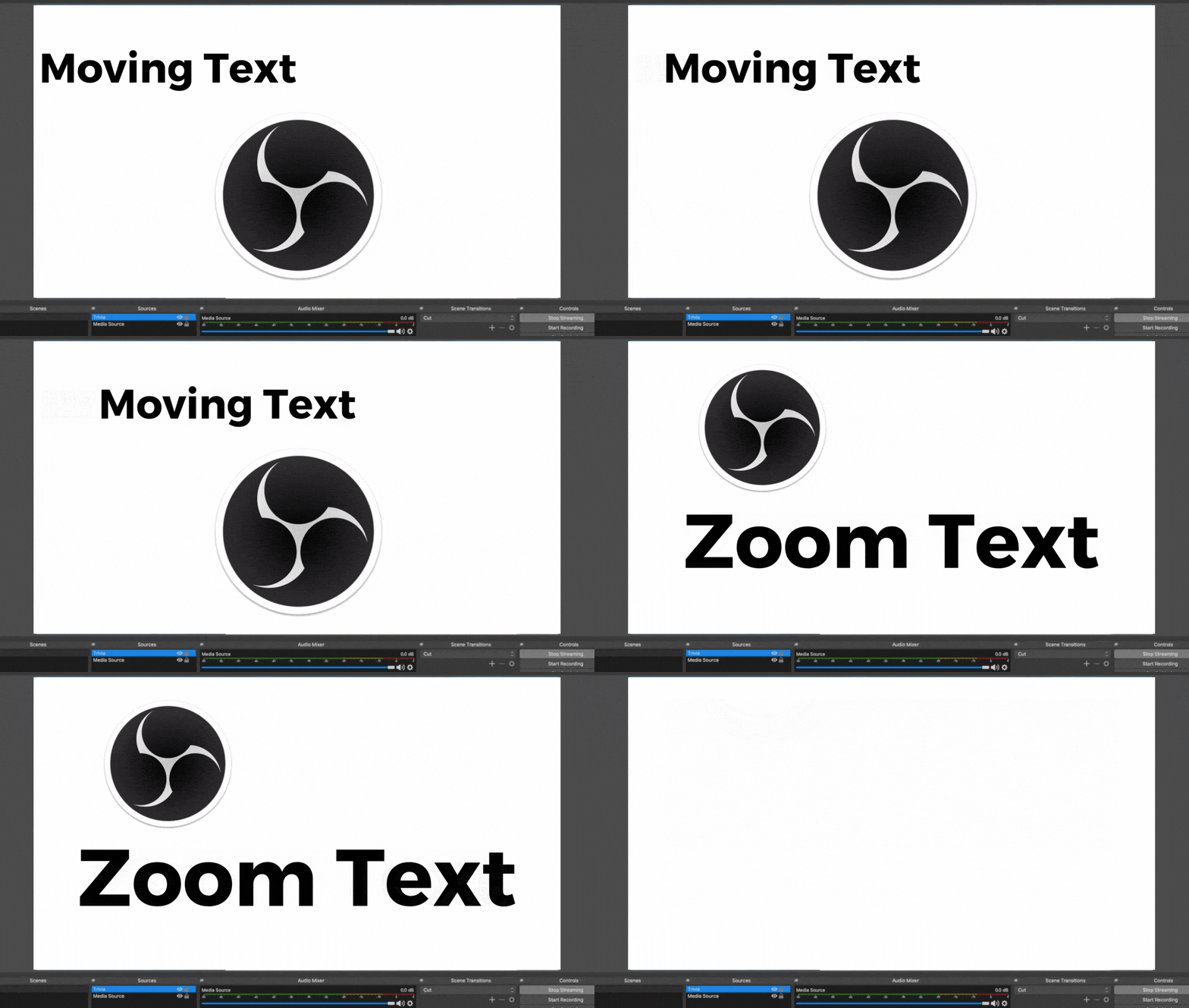
Move Transition (animate text, images and GIFs)
Animates any element of your stream: text, logos, GIFs, images, video. Elements can appear, disappear, move, and transition into one another, with control over curve, position and scale.
Version 3.2.1 ships a macos-universal package, so a fresh install clears the 32.2 problem.
To install: download from the OBS forum, then add a Move transition with the plus icon on the Scene Transitions dock and configure it with the cogwheel.
Advanced Scene Switcher (automation)
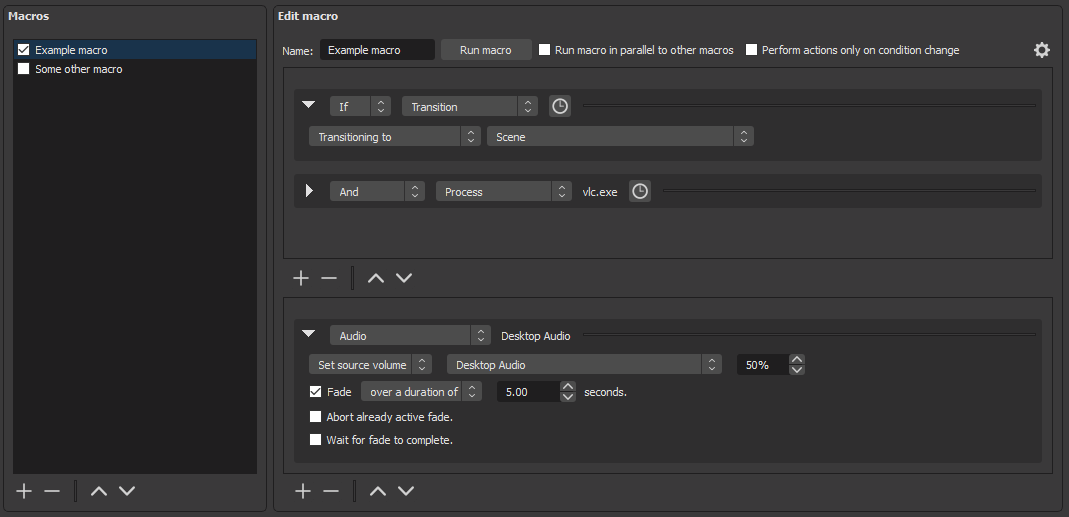
Automates OBS with Macros: a list of conditions, and a list of actions to run when they're met. Say you have a 15-minute ad playing over a wide shot before your show starts. Set a time condition, and the scene switches itself.
It covers 26 condition types (audio, cursor position, date and time, file, filter, hotkey, idle detection, media, OBS statistics, process, recording, scene, source, streaming, timer, websocket, window title, and more) and 29 action types (switch scene, start or stop recording and streaming, screenshot, transition, system tray notification, wait, and the rest).
Release 1.36.1 landed August 7, 2026, weeks after the 32.2 migration, so it's current.
Background Removal (no green screen)
Removes your background without a green screen, running a segmentation model locally. It's the plugin most worth adding if you're rebuilding your stack after the 32.2 breakage, and it wasn't in the older version of this guide.
Version 1.4.1 ships macos-universal. Expect it to use GPU, so test it alongside your OBS encoder settings before a real broadcast.
DroidCam OBS (phone as webcam)
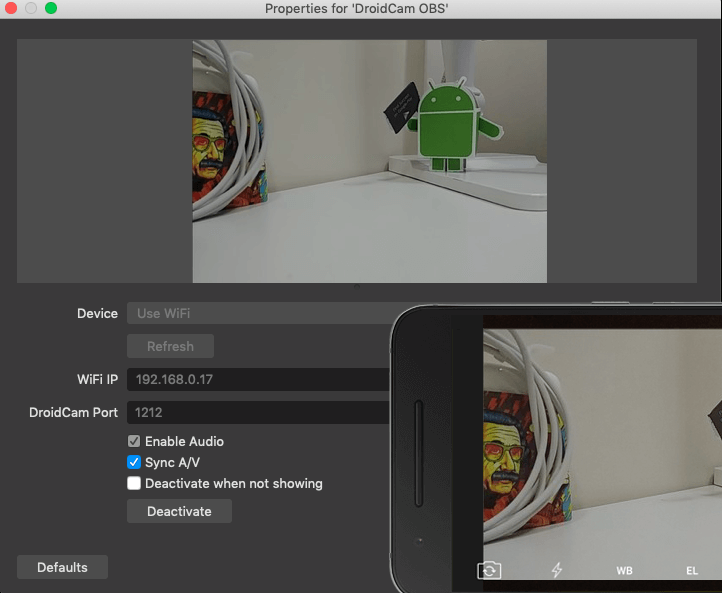
Connects an iPhone, Samsung or any modern phone as a webcam source over WiFi or USB. You can link several phones at once, which is the cheapest way to get a second camera angle.
Version 2.5.1 covers macOS 10.13+ on both x64 and arm64, and its release notes name OBS v32.2 explicitly.
Closed Captioning (accessibility)
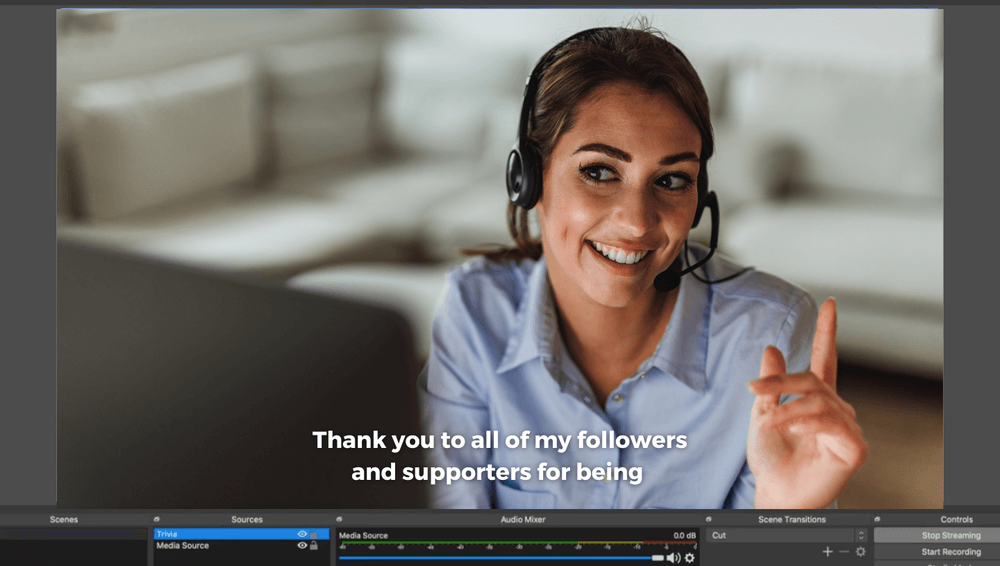
Generates live captions through Google Cloud Speech Recognition. It makes your stream watchable in offices, airports and anywhere the sound is off, and gives you a transcript afterwards.
Release 0.33 states that macOS supports both Intel and ARM Macs.
Live Poll (viewers vote in chat)
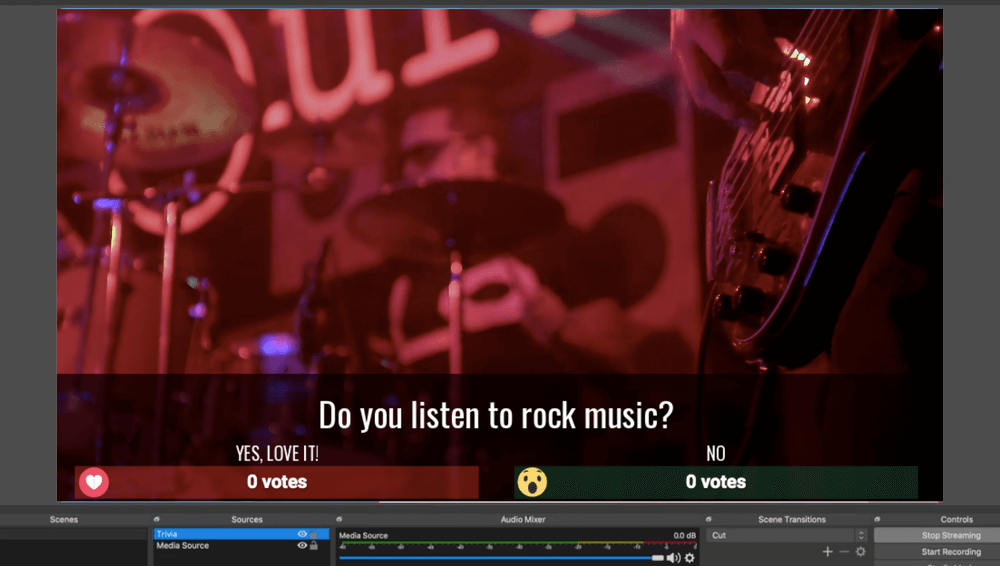
Viewers vote by commenting or reacting. Votes tally in real time and results appear in the stream with each voter's name and profile photo. Three formats:
- Comment Poll — answer options on screen, viewers vote by commenting
- Images Poll — same, with an image per option
- Reactions Poll — Facebook only, each reaction maps to an answer
This one is a browser source, covered in the next section. More detail on the live poll feature page, and a platform walkthrough in how to go live with a poll on YouTube Live.
Closest Guess Game (number-guessing game)
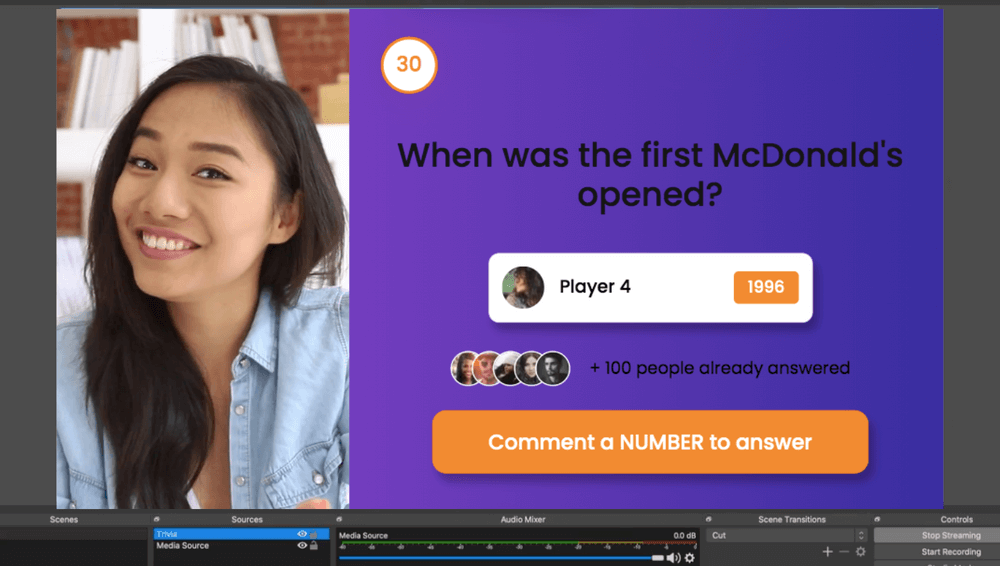
Ask a question with a numeric answer and viewers type guesses in chat. Closer answers score higher; on a tie, the faster comment wins. Scoring runs automatically and a leaderboard closes out the game. Also a browser source. See the Closest Guess game page.
How to add a GIF in OBS (no plugin needed)
You don't need a plugin for this, which is why it belongs in a plugins guide.
- Click + in the Sources panel and choose Image.
- Browse to your
.giffile and select it. - Resize and position it in the preview.
OBS plays animated GIFs natively in an Image source. Use the Image Slide Show source for several in rotation, which as of 32.2 also accepts WebP files.
Reach for Move Transition only when you want the GIF to fly in, follow a path, or scale as it appears. Static placement needs no plugin at all, and a plugin-free setup is one less thing 32.2 can break.
The plugins that can't break: browser sources
The plugins in this guide that survived 32.2 untouched are the ones that were never compiled in the first place.
LiveReacting's interactive elements run as a browser source. You copy a URL, click + in OBS, choose Browser, paste the URL, and set the size to 1280 x 720. Nothing is compiled against an architecture, so there's no Intel build to break and nothing to reinstall after an OBS update. The same URL works in VMix, StreamYard, Restream and Ecamm Live.
That covers trivia, polls, giveaways, countdowns and word games. Setup takes about two minutes: see adding trivia, polls and giveaways to OBS. Plugin mode starts on the Small plan at $19.99/month.
The honest limit: a browser source needs a stable connection and costs you some CPU. It solves the architecture problem, not every problem.
Two related setups worth knowing if you're rebuilding after 32.2:
- Sending one feed to several platforms without the multi-RTMP plugin: multistreaming without OBS
- Running an always-on channel that doesn't depend on your Mac staying awake: 24/7 live streams without OBS
FAQ
Why did my OBS plugins stop working after updating?
On macOS, OBS 32.2 force-migrated Intel installations to the Apple Silicon build, and Intel-compiled plugins no longer load. On Windows, a rewrite of DLL loading caused some plugins to fail on the first launch after updating; that was fixed in a later hotfix.
How do I fix OBS plugins not loading on Mac?
Update to OBS 32.2.2, then reinstall each plugin from its latest release, choosing the macos-universal build. If it still won't load, delete the plugin folder from ~/Library/Application Support/obs-studio/plugins/ and install again.
Can I go back to the Intel version of OBS?
No. 32.2 migrates Intel installations automatically. Update the plugins instead, or stay on 32.1.2 if you're on macOS 12, which 32.2.x can't launch on at all.
Do I need a plugin to add a GIF in OBS?
No. Add an Image source and select the .gif file. OBS animates it natively. A plugin is only needed to animate the GIF's movement across the scene.
Are OBS plugins safe to install?
Stick to the OBS forum resources page and official GitHub releases. OBS 32.2 tightened Windows DLL loading specifically to make plugin files harder to hijack, which is a reason to install from source pages rather than mirrors.
Rebuild your stack
If 32.2 wiped your plugin setup, treat it as a chance to cut what you don't need. Reinstall the compiled plugins that earn their place, and move the interactive layer to a browser source so the next OBS release can't touch it.
Transform Your Live Streams with LiveReacting
Join 10,000+ streamers who are boosting engagement and viewership by adding pre-recorded videos, games, polls, and countdowns to their streams.
Try LiveReacting for free today and take your streams to the next level!