
How to Run a Multi-Day Live Stream Giveaway Campaign (Playbook)
Step-by-step live stream giveaway campaign playbook. Plan prizes, automate entry collection, pick winners live on screen, and keep viewers returning daily.
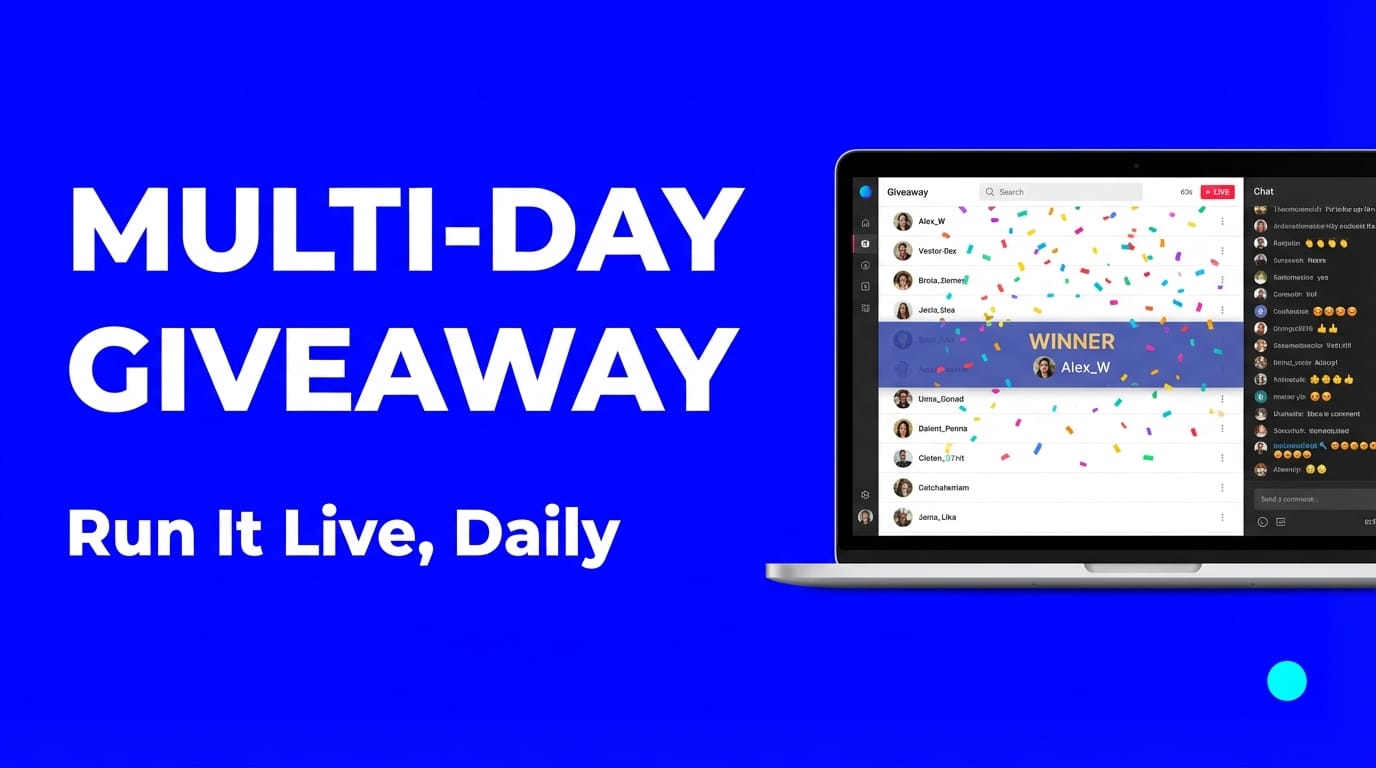
A multi-day live stream giveaway campaign runs across several consecutive days, with a daily prize draw and a grand prize at the end. Each day's stream is its own event, but they build on each other: viewers return to see yesterday's winner, enter again, and find out what's next.
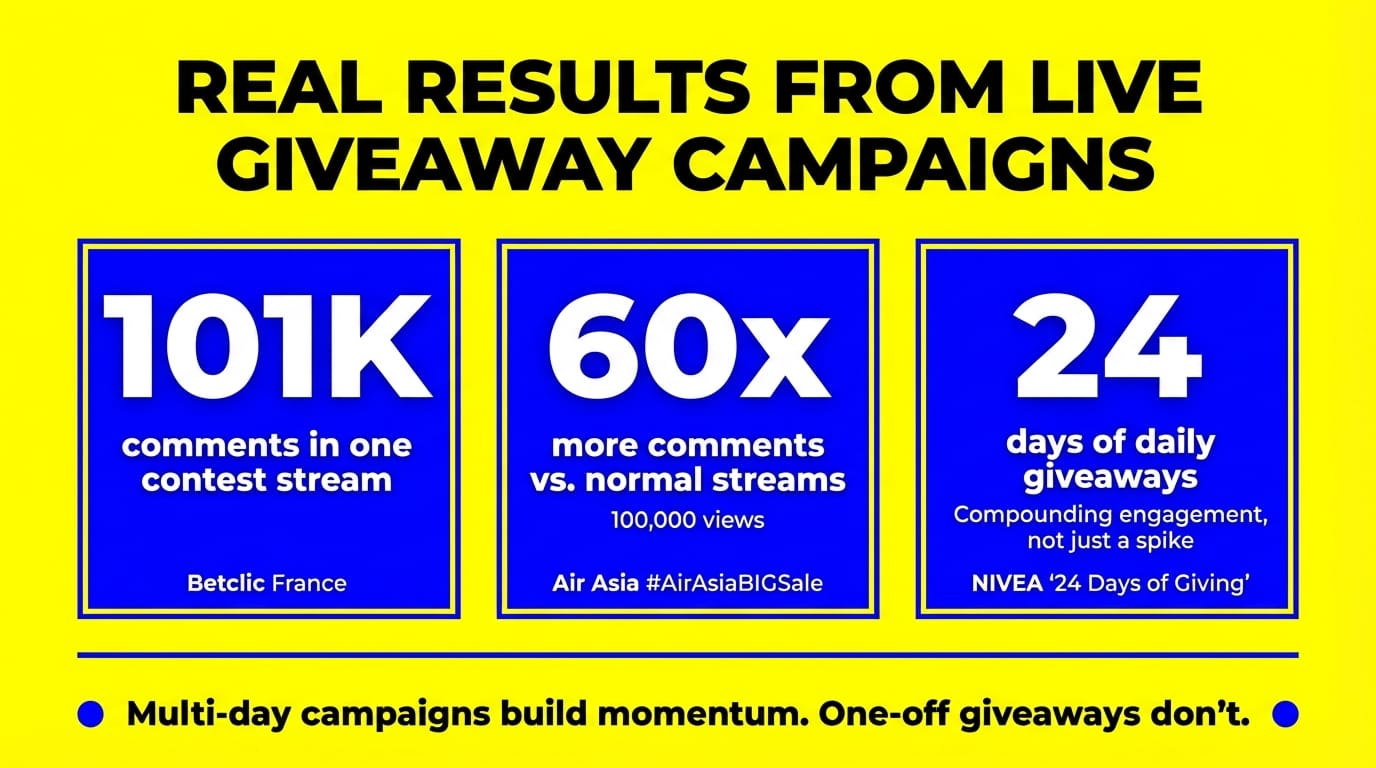
NIVEA ran "24 Days of Giving" with daily live giveaways on Facebook. Betclic France generated 101K comments from a single contest stream. Air Asia's live trivia giveaway during their #AirAsiaBIGSale drove 60x more comments and 100,000 views.
The difference between a forgettable giveaway and a campaign with real momentum is structure. This playbook covers everything: planning timeline, prize strategy, daily format, automated entry collection, winner selection, and the legal requirements.
Multi-Day vs. One-Off: What Changes
A single giveaway gets people to show up once. A multi-day campaign trains them to come back.
| Factor | One-Off Giveaway | Multi-Day Campaign |
|---|---|---|
| Audience habit | One-time spike | Daily return viewers |
| Algorithm signal | Short engagement burst | Sustained activity over days |
| Prize budget per day | One large prize | Smaller daily prizes + grand prize |
| Promotion window | 1–2 days of hype | Ongoing word-of-mouth |
| Email/follower capture | One chance | Multiple touchpoints |
| Content variety | Single format | Different themes each day |
Social media algorithms reward consistency. When viewers comment on your streams day after day, platforms push your content to more people. That's how NIVEA's 24-day campaign built compounding engagement, not just a single spike.
Step 1: Define Your Campaign Structure
Decide the basics before anything else.
Duration: 3 to 7 days works best for most creators and brands. Longer campaigns (like NIVEA's 24-day advent format) work for holiday seasons but require more planning and prize inventory. Start shorter if this is your first multi-day giveaway.
Platform: Pick based on your audience and stream duration limits:
| Platform | Max Stream Length | Best For |
|---|---|---|
| YouTube | Unlimited | Long campaigns, 24/7 streams |
| 8 hours | Brand pages, community engagement | |
| Twitch | Unlimited | Gaming, creator communities |
| 4 hours | Younger audiences, quick daily drops |
Daily time slot: Stream at the same time every day. Consistency builds the habit. Check your analytics for when your audience is most active.
Entry method: Comment-based entry is the best approach for live giveaways. Viewers type a keyword (like "ENTER" or "WIN") in chat to participate. It's free, visible to other viewers, and creates the kind of chat activity that algorithms reward.
Step 2: Plan Your Prize Strategy
Your prizes need to do two things: bring people back daily and build toward something bigger.
The tiered approach works best:
- Daily prizes: Lower cost, immediately appealing. Gift cards ($25–50), product samples, discount codes, digital downloads, branded merchandise.
- Grand prize: Higher value, awarded at the end to someone who participated across multiple days. This is what keeps people returning: electronics, premium subscriptions, travel vouchers, bundles.
Prize selection rules:
- Match prizes to your audience. Betclic gave away free bets (relevant to their sports betting audience). A cooking channel gives away kitchen tools, not AirPods.
- Keep daily prizes achievable. A $25 gift card feels winnable. A $1,000 prize feels like a lottery.
- Save the best for last. Announce the grand prize on Day 1 to build anticipation, but award it on the final day.
Budget example for a 5-day campaign:
| Day | Prize | Est. Cost |
|---|---|---|
| Day 1 | Branded merchandise pack | $30 |
| Day 2 | $50 gift card | $50 |
| Day 3 | Product bundle | $75 |
| Day 4 | Premium subscription (1 year) | $100 |
| Day 5 | Grand prize (electronics/experience) | $200–500 |
| Total | $455–755 |
A 5-day campaign with $500 in prizes can often generate more engagement than comparable paid ad spend, especially with an existing audience.
Step 3: Set Up Automated Entry Collection
Manually tracking who commented "ENTER" across a multi-day campaign is impossible at scale. You need a tool that collects entries from chat automatically.
LiveReacting's giveaway feature handles this during the stream:
- Set an entry keyword (e.g., "WIN" or "GIVEAWAY")
- Viewers comment the keyword to enter
- Each entry shows the participant's profile picture and name on screen in real time
- Draw a winner with one click or set an automatic timer
The visual entry display matters. When viewers see other people entering, it creates social proof and urgency. More entries appear, more viewers jump in.
For a multi-day campaign, set up a separate giveaway for each day's stream. This keeps each day clean with its own winner. You can track cumulative participation across days for the grand prize draw.
Pro tip: Use different entry keywords each day. Day 1: "MONDAY", Day 2: "TUESDAY". Or theme-based: "WINTER", "SNOW", "GIFT".
Step 4: Design Your Daily Stream Format
Every day should follow the same basic structure so viewers know what to expect. Vary the content enough to keep it fresh.
Recommended daily format (30–60 minutes):
| Segment | Duration | What Happens |
|---|---|---|
| Welcome + recap | 5 min | Greet viewers, recap yesterday's winner, preview today's prize |
| Content/entertainment | 15–30 min | Main content (tutorial, Q&A, game, product demo) |
| Giveaway entry window | 5–10 min | Open entries, show participants on screen |
| Winner draw | 5 min | Draw winner live, announce on screen |
| Tomorrow's teaser | 2 min | Preview tomorrow's prize, remind viewers of the time |
Content ideas to vary across days:
- Day 1: Kick off with a live poll asking viewers what they want to see during the campaign
- Day 2: Trivia game related to your niche, with the giveaway as a bonus
- Day 3: Q&A session where comments also count as giveaway entries
- Day 4: Behind-the-scenes or product demo with a countdown timer building to the draw
- Day 5: Grand finale with the big prize, recap of all winners, thank-you montage
Use scenes in LiveReacting to switch between segments without stopping the stream. Set up one scene for your main content, another for the giveaway overlay, and a third for winner announcements.
Step 5: Promote Before and During
A giveaway nobody knows about is just a list of unclaimed prizes.
Pre-campaign promotion (start 5–7 days before):
- Post the full prize lineup with dates and times
- Create a countdown to Day 1
- Schedule announcement posts daily leading up to launch
- Email your list with the campaign details
- Cross-post on all your social channels
During the campaign:
- Clip the winner announcement from each day and post it as a short-form video
- Tag winners (with their permission) to expand reach
- Post a daily reminder 1–2 hours before stream time
- Pin a comment with rules and entry instructions at the top of chat
After each day:
Post results. "Day 3 winner: @username won a product bundle. Day 4 starts tomorrow at 6pm EST. Prize: a year of Premium." This keeps the campaign visible even to people who missed the stream.
Step 6: Pick Winners Fairly
Random selection is the cleanest approach. It's legally simpler than skill-based contests, and every viewer has an equal shot.
With LiveReacting's giveaway tool, the winner draw happens live on screen. The system randomly selects from all entries and displays the winner's name and profile picture. This transparency matters: viewers need to see the draw is fair.
Winner verification process:
- Announce the winner on stream
- Ask them to confirm in chat within 2 minutes
- If no response, redraw (set this rule in advance)
- Contact the winner after the stream to arrange prize delivery
- For the grand prize, verify eligibility before shipping
For the grand prize draw: Maintain a list of everyone who entered at least once across all days. Announce the grand prize winner on the final stream.
Step 7: Handle the Legal Side
Running a giveaway means following rules. Skip this step and you risk platform bans, fines, or lawsuits.
You need official rules. Every time. Post them as a link in your stream description. Your official rules should include:
- Start and end dates with times and time zones
- How to enter (free entry required for sweepstakes)
- Eligibility (age, location restrictions)
- Prize descriptions and approximate retail values
- How and when winners are selected
- How winners are notified and how long they have to claim
- Privacy notice explaining how you use participant data
Platform-specific requirements:
| Platform | Key Rule |
|---|---|
| YouTube | Must link to YouTube Community Guidelines in rules. Must state YouTube is not a sponsor. Review YouTube's current Contest Policies before launch. |
| Must state the promotion is not sponsored by Facebook. Cannot require sharing to personal timelines as entry. | |
| Must include a release of Instagram from liability. Cannot tag people in photos they are not in. | |
| Twitch | Must comply with Twitch Community Guidelines. No incentivized follows as sole entry method. |
FTC requirements (US):
- Disclose any brand sponsorship with #ad or #sponsored
- Prizes over $2,000 in value require a 1099-MISC tax form to the winner (threshold raised from $600 effective January 2026)
- No purchase necessary (this is why comment-based entry works well)
- Cannot require subscription, likes, or shares as the only entry method (offer an alternative like emailing to enter)
International considerations: If your audience is global, state which countries are eligible. Prize fulfillment, import taxes, and sweepstakes laws vary widely. Limit eligibility to countries where you understand the rules.
Note: This is general guidance, not legal advice. Consult a lawyer for your specific situation, especially for high-value campaigns.
Multi-Day Giveaway Ideas by Industry
Not sure how to theme your campaign? Here are ready-to-use formats:
| Industry | Campaign Format | Daily Prize Ideas |
|---|---|---|
| E-commerce | "7 Days of Deals" with daily product giveaways | Products from your store, discount codes, bundles |
| Gaming | "Week of Wins" with daily in-game prizes + trivia | Game keys, in-game currency, peripherals, subscriptions |
| Fitness | "5-Day Challenge" with giveaway for daily participants | Supplements, workout gear, coaching sessions |
| Beauty | "Advent calendar" style daily reveals | Product samples, full-size items, gift sets |
| Food/Restaurant | "Taste of the Week" with daily menu items | Free meals, gift cards, cooking kits, branded merch |
| SaaS/Tech | "Launch Week" with daily feature reveals + prizes | Free subscriptions, premium tiers, hardware |
| Education | "Knowledge Week" with daily quizzes and prizes | Course access, books, study tool subscriptions |
| Music | "Countdown to release" with daily exclusive content | Signed merch, concert tickets, meet-and-greets |
Air Asia's #AirAsiaBIGSale campaign combined live trivia with a multi-day sale event, driving massive engagement. The key: the giveaway format matched their business goal (promoting the sale).
Automate the Repetitive Parts
Running a multi-day campaign manually is exhausting. Here's what you can hand off to tools:
Entry collection: LiveReacting's giveaway feature automatically collects and displays entries from chat comments. No spreadsheets, no manual counting.
Winner selection: One-click random draw, live on screen. No controversy, no bias accusations.
Stream scheduling: Schedule each day's stream in advance so platform announcements go out automatically.
Content switching: Use scenes with automatic scene switching to transition between your content segment and the giveaway segment without manual intervention.
AI hosting: LiveReacting's AI Host can announce winners, give shout-outs to entrants, and keep commentary running between segments. Useful if you're running daily streams and don't want to be on camera every single day.
The less manual work per day, the more likely you'll complete a 5 or 7-day campaign without burning out.
Quick-Start Checklist
Use this to plan your first multi-day live stream giveaway campaign:
- Pick your duration (3, 5, or 7 days)
- Set a daily time slot and stick to it
- Choose daily prizes + one grand prize
- Write official rules with eligibility, dates, and prize details
- Set up your giveaway in LiveReacting for Day 1
- Create scenes for content, giveaway, and winner announcement
- Schedule all streams in advance
- Promote on all channels 5–7 days before launch
- Prepare daily social posts (recaps + reminders)
- Test the full flow with a practice run before Day 1
FAQ
How long should a multi-day giveaway campaign last?
3 to 7 days is the sweet spot. Shorter campaigns are easier to manage and keep urgency high. Go longer (like an advent calendar format) only for seasonal events. You'll need enough prizes and content to fill every day.
Can I run a giveaway across multiple platforms at the same time?
Yes. LiveReacting collects giveaway entries from comments on all connected platforms simultaneously. One giveaway, multiple audiences.
Do I need a lawyer to run a live giveaway?
For small campaigns with prizes under $500 total, clear official rules and compliance with platform guidelines usually suffice. For larger campaigns, sponsored giveaways, or anything involving international participants, consult a lawyer. Prize values over $2,000 in the US trigger IRS Form 1099-MISC reporting requirements (threshold raised from $600 effective January 2026).
What's the best entry method for live giveaways?
Comment-based entry with a keyword. It's free (legally important), visible to other viewers (creates social proof), and drives the chat engagement that algorithms reward. Avoid requiring purchases, paid subscriptions, or sharing to personal profiles as the only entry method.
How do I keep people coming back every day?
Three things: reveal prizes one day at a time so there's always something new, offer a grand prize that requires participation across multiple days, and post the previous day's winner to show the prizes are real.
Start Your First Multi-Day Campaign
A well-structured multi-day live stream giveaway campaign doesn't require a massive budget or a large team. It requires a plan, consistent timing, and a way to automate entries so you can focus on content instead of spreadsheets.
LiveReacting automates giveaway entry collection and winner selection so you can run daily draws without the manual work. Upload your stream content, set up the giveaway, and let the tool handle participation tracking while you focus on your audience.
Transform Your Live Streams with LiveReacting
Join 10,000+ streamers who are boosting engagement and viewership by adding pre-recorded videos, games, polls, and countdowns to their streams.
Try LiveReacting for free today and take your streams to the next level!