
Best Time to Go Live on TikTok and YouTube: What the Data Says
The best time to go live on TikTok or YouTube is not a fixed hour. No public study measures LIVE timing. Here is what is measured, and where to find yours.
There is no published dataset for the best hour to go LIVE on TikTok or YouTube. Every timing table you have seen for live streaming, including the one that used to sit on this page, is either borrowed from feed-post research or made up. Both platforms do publish the real answer, per channel, inside your own analytics, and this post shows you exactly where.
Every source in this post was read on August 15, 2026, and each claim is attributed in the text.
The short answer
Ask your own analytics, not a chart:
- TikTok: TikTok Studio, then Analytics, then Followers, then Follower activity. It shows the hours and days your followers are actually on the app.
- YouTube: YouTube Studio, then Analytics, then Audience, then "When your viewers are on YouTube."
Those two reports beat any published table, because they measure your audience rather than an average of everyone else's.
Streaming on Twitch too? That one is different, because Twitch publishes live channel and viewer counts that anyone can check. We cover it with measured numbers in the best time to stream on Twitch.
Why the usual timing tables don't hold up
Three problems, and they compound.
They measure posts, not live broadcasts. The large studies analyse uploaded videos and feed posts. A person scrolling TikTok at lunch is not the same person willing to commit 20 minutes to a live stream. No major public study separates the two.
They disagree with each other. Two of the most-cited 2026 analyses reach different conclusions from large samples.
| Study | Sample | Window | Top TikTok recommendation |
|---|---|---|---|
| Buffer, published July 20, 2026 | 7.1M posts, median engagement rate | Not stated | "The single best time to post is Sunday at 9 a.m." Best day: Saturday |
| Sprout Social, 2026 analysis | ~2 billion engagements, ~307,000 profiles | Nov 27, 2025 to Feb 27, 2026 | Tuesdays through Thursdays, 2 p.m. to 6 p.m. local time |
Sources: buffer.com/resources/best-time-to-post-on-tiktok and sproutsocial.com/insights/best-times-to-post-on-tiktok, both read August 15, 2026. Neither states that LIVE broadcasts were included.
Different weekday, different hour, different half of the day. Buffer says so itself: "There is no universal best time for TikTok that will work for every video." The gap is a methodology gap. Sprout's panel leans towards brand and organisation accounts, whose audiences engage during the staffed work week. Buffer's leans towards creators.
For YouTube Live the data is thinner still. Sprout Social's 2026 best-times analysis covers Facebook, Instagram, LinkedIn, Pinterest, TikTok and X. YouTube is not in it.
So when a table gives you "8 am, 12 pm, 11 pm" for YouTube Live in the Philippines, ask where that came from. Usually there is no answer.
TikTok: where your real answer lives
TikTok gives creators two separate timing tools, and most articles mention neither.
Follower activity (before you stream)
In-app path: TikTok Studio, then Analytics, then Followers, then Follower activity. You need a Creator or Business account, and TikTok needs enough follower data to populate the chart.
It has two views:
- By hours shows the times of day your followers are most active.
- By days shows which days of the week they are most active.
Read the hours view first and pick two candidate slots. Then check the days view, because a great hour on a dead day is still a dead stream.
One trap: the chart is in a fixed timezone, and your followers may not share it. If most of your audience sits in another region, the peak you are looking at is their evening, not yours.
LIVE Analytics (after you stream)
TikTok's LIVE Studio help centre describes it plainly: "LIVE Analytics is a powerful tool for analyzing your past LIVE performance." The same page states: "You can select to view data from the last 7 days up to the last 60 days in the top right corner."
The metrics it reports, per TikTok's own documentation:
| Group | Metrics |
|---|---|
| Viewership | Views, Unique viewers, Average watch time, Peak concurrent viewers, Average concurrent viewers |
| Engagement | New followers, Gifters, New subscribers, Viewers who commented, Comments, Likes, Shares |
| Rewards | Diamonds |
| Activity | LIVE duration, Total LIVE videos, Active days |
Source: TikTok LIVE Studio Help Center, "Analyze your performance and understand your viewers," read August 15, 2026.
Note what TikTok does not do on that page: it publishes no recommendation about when to go LIVE. The platform with the most data on this declines to name an hour. That should tell you how much weight a third-party table deserves.
The metric to track across streams is average concurrent viewers, not total views. Views count anyone who passed through. Average concurrents tell you whether people stayed.
For the setup side of TikTok streaming, see our guide on how to live stream on TikTok.
YouTube: the report built for this exact question
YouTube ships a report for planning live streams and says so in its documentation.
From YouTube's "Understand your YouTube audience" help article, verbatim: "This report shows you when your viewers are online across YouTube in the last 28 days."
The same page states you can "use it to help build your community, understand when to schedule a Premiere, or to plan your next live stream."
How to open it
- Sign in to YouTube Studio.
- Select Analytics in the left menu.
- Select Audience in the top menu.
- Find the When your viewers are on YouTube card.
The caveat nobody mentions
Read that first quote again. It reports when your viewers are online across YouTube, not when they watch your channel, and not when they would join a live stream.
That distinction matters. The report tells you when your audience is reachable. It does not tell you they will stay for a broadcast. Treat it as a shortlist of candidate slots, then let your own live results narrow it down.
Two more things worth knowing:
- The window is 28 days, so a one-off holiday or a viral video can skew it. Check it again before you commit to a permanent slot.
- It is drawn from your existing viewers. If you are trying to reach a new audience in a new region, this report will actively point you at the wrong hours.
For uploads rather than live streams, we have a separate data-driven guide on the best time to post on YouTube. And to get more out of the streams themselves, see how to get more views on YouTube Live and the full rundown of YouTube Live features.
How to find your own best time in four weeks
Your analytics give you candidate slots. Only a test tells you which one works.
- Pick two slots from Follower activity or the Audience report. Make one a peak and one a quieter hour.
- Change one variable. Same content format, same stream length, same weekday. Only the hour moves.
- Alternate them weekly for four weeks. That is two data points per slot, which is thin, but it beats a table from 2022.
- Record the same four numbers every time: average concurrent viewers, unique viewers, comments, new followers.
- Compare per hour, not per stream. A 90-minute stream will beat a 30-minute stream on totals no matter what time it started.
- Repeat once a quarter. Audiences move. Both platforms' reports look back weeks, not years.
If two slots come out level, take the one you can hold every single week. Consistency compounds; a perfect hour you hit twice does not.
When your best slot is a time you can't be awake for
The awkward result is common: your audience peaks at 3 a.m. your time, or your two biggest regions peak eleven hours apart. You cannot be live for both.
You have three options.
- Move your live hours. Best results, worst on your sleep, hard to sustain.
- Accept a weaker slot you can actually keep every week.
- Keep the channel on air with pre-recorded content during the hours you can't cover, and go live yourself when you can.
Option three only works where the platform allows it, and that split matters here. YouTube puts no duration cap on streams, so an always-on channel is supported. TikTok has no pre-recorded or 24/7 streaming support, so on TikTok you go live in person or not at all.
For the YouTube side, that is what a cloud streaming tool handles. With LiveReacting you upload a video, connect YouTube, and go live with pre-recorded content in about five minutes. Then leave it running.
What matters once it is running:
- Playlists, so the channel rotates hours of content instead of looping one file.
- Advanced scheduling and recurrence, so a weekly slot repeats without you touching it.
- Free automatic encoding, so you upload the file you already have.
- Editing while the stream is live, so you can change what plays next without ending the broadcast.
- Mixing live sources with pre-recorded playlists, so you can drop into your own stream when you are free.
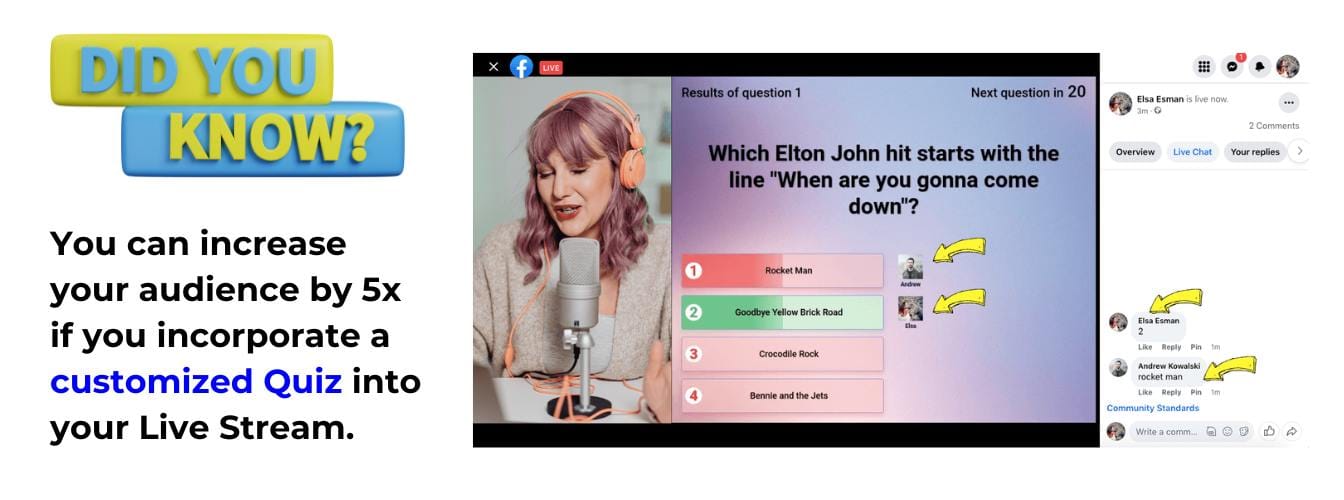
- Interactive overlays such as polls, trivia and countdowns, if you want the off-hours stream to do more than play video.
The 24/7 plan is $39.99/mo for one concurrent stream at 1080p with unlimited duration.
Related walkthroughs: how to stream a pre-recorded video on YouTube Live and how to create a 24/7 YouTube live channel.
FAQ
What is the best time to go live on TikTok?
There is no published answer, because no major study measures LIVE broadcasts as opposed to feed posts. The two largest 2026 post-timing studies disagree anyway: Buffer (7.1M posts, July 2026) puts the best slot at Sunday 9 a.m., while Sprout Social (~2B engagements, Nov 2025 to Feb 2026) puts it Tuesday to Thursday, 2 p.m. to 6 p.m. Use TikTok Studio, then Analytics, then Followers, then Follower activity for your own audience.
What is the best time to go live on YouTube?
Whenever your own Audience report says your viewers are online. YouTube's help documentation states the report "shows you when your viewers are online across YouTube in the last 28 days" and suggests using it "to plan your next live stream." No public dataset gives a reliable global hour for YouTube Live.
Does TikTok tell you when to go LIVE?
Not directly. TikTok's LIVE Studio documentation covers past performance only, with data windows "from the last 7 days up to the last 60 days," and makes no recommendation about timing. The forward-looking signal is the Follower activity chart in the Followers tab.
Why do best-time-to-post charts contradict each other?
Different panels. Sprout Social's sample skews towards brand accounts whose audiences engage during the working week. Buffer's skews towards creators, which pushes weekends up. Buffer's own conclusion: "There is no universal best time for TikTok that will work for every video."
Can I run a 24/7 stream on TikTok?
No. TikTok has no pre-recorded or 24/7 streaming support, so TikTok LIVE means being there in person. YouTube places no duration cap on streams, so continuous channels work there.
How long should I stream to test a time slot?
Keep the length identical across the test, and compare results per hour rather than per stream. Four weeks alternating two slots gives you two data points each. That is thin, but it is your own data, which no published table can be.
Next step
Open your analytics before you plan another stream. TikTok Studio, then Analytics, then Followers, then Follower activity. Or YouTube Studio, then Analytics, then Audience. Both take under a minute and both are more accurate than any chart on the internet, including this page.
If the hours that come back are hours you cannot be awake for, keep the YouTube channel on air with a 24/7 stream and save your live appearances for when you can actually show up.
Got questions? Need help with live streaming? Contact us in the live chat on our website, and we'll assist you as soon as possible!
Transform Your Live Streams with LiveReacting
Join 10,000+ streamers who are boosting engagement and viewership by adding pre-recorded videos, games, polls, and countdowns to their streams.
Try LiveReacting for free today and take your streams to the next level!