
How Content Creators and Streamers Can Build a Professional Online Presence
How streamers and content creators build a professional online presence: consistent branding, a business email, weekly analytics, and cross-platform clips.
Sponsors and viewers judge a channel in seconds. A mismatched handle, chaotic DMs, or analytics you can't produce on request can end a brand deal before it starts. Live streaming hit 36.4 billion hours watched in 2025, per Streams Charts, and the creators winning sponsorships in that crowd are the ones who run their channels like businesses.
Here are five practical ways to build a professional online presence as a streamer or content creator.
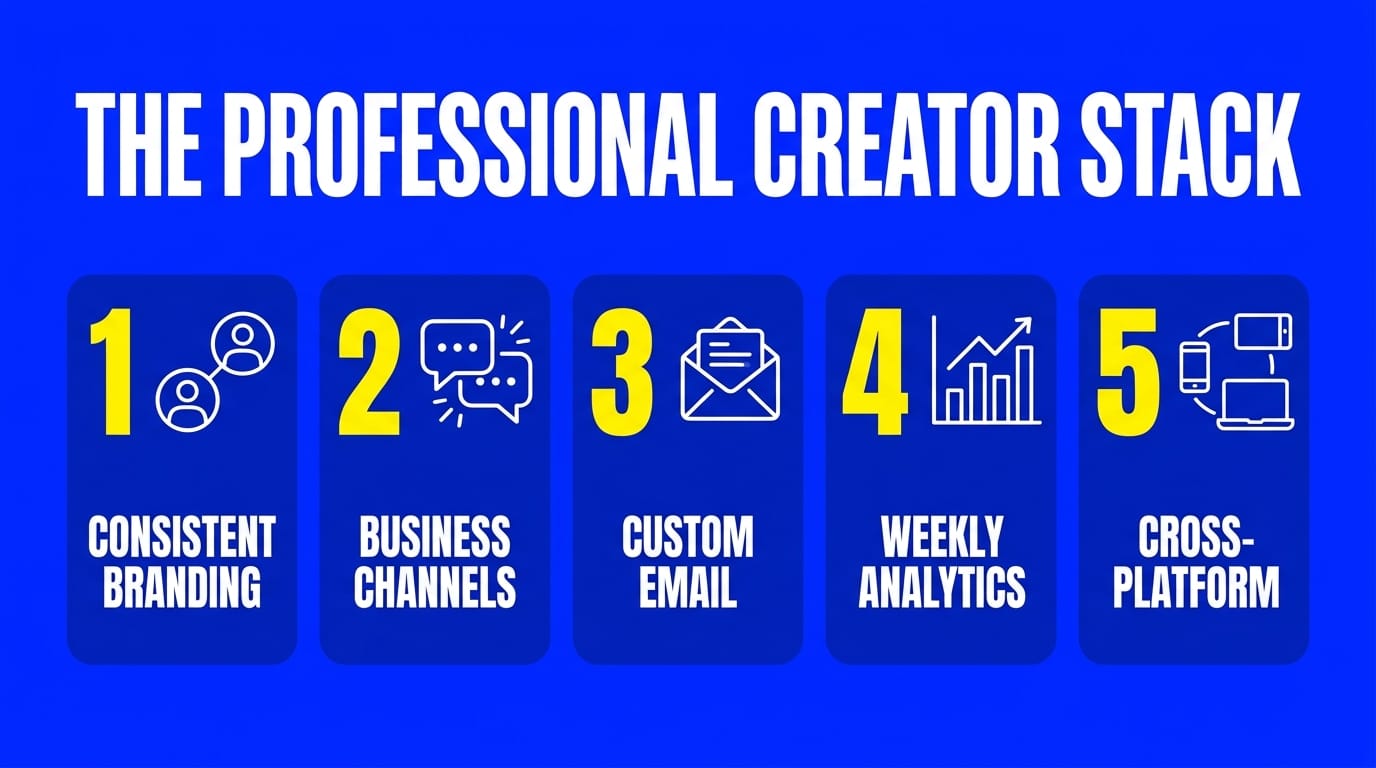
1. Keep Your Branding Identical Everywhere
Your brand is your digital handshake. The fastest way to build recognition is to lock the same username across Twitch, YouTube, TikTok, and Instagram. If your exact name is taken on one platform, pick a variant you can get everywhere rather than four different handles.
Then make everything match:
- One color palette and one logo across banners, thumbnails, and overlays
- The same fonts in your stream graphics and your social posts
- A logo watermark on the stream itself, so clips stay recognizable when they get reposted
No designer? Start from pre-built stream templates and swap in your own colors.
Consistency is also a sponsor signal. A brand manager scanning your profiles reads visual alignment as "this person takes the business seriously."
2. Move Business Conversations Out of Your DMs
Social DMs are where brand deals go to die. Once your channel grows, sponsor messages get buried between viewer questions and spam.
Set up dedicated channels instead:
- A structured Discord server for your community, with separate spaces for announcements, chat, and support. Small streamer communities are often where your first moderators and collaborators come from.
- A contact form or dedicated email for business inquiries, listed in every bio
- A one-page media kit with your audience size, demographics, and engagement numbers, ready to send within minutes of a brand reaching out
3. Investing in Email Setup for Creators
Ditching a generic email address is the fastest way to upgrade your credibility. Sending a sponsorship pitch from a free email account looks amateurish and often lands straight in the spam folder.
Instead, secure a custom domain name and set up a business email. If managing administrative backend tasks distracts you from filming, delegate these peripheral business operations to digital assistants.
They will help manage your growing team’s roles and expenses, allowing you to focus entirely on creative production.
4. Track Your Analytics Weekly
You cannot scale what you do not measure. Professional creators block 30 minutes a week for three numbers:
- Audience retention. Where viewers drop off tells you what to cut and what to double down on.
- Click-through rate (CTR). If your thumbnails and titles are not getting clicks, nothing else matters.
- Returning viewers. Growth built on one-time visitors disappears. Returning viewers are the base sponsors pay for.
Look at engagement quality too. A healthy like-to-view ratio matters more to brands than raw subscriber counts, and posting when your audience is online lifts every other metric.
Keep those numbers in your media kit. When a sponsor asks, you answer in minutes, not days.
5. Turn One Stream Into Content for Every Platform
Relying on a single platform's algorithm is a gamble. Professional creators distribute.
Three ways to do it:
- Clip your long-form content. Slice streams into vertical clips for TikTok, YouTube Shorts, and Instagram Reels. Each clip funnels viewers back to your main channel.
- Multistream your live shows. Twitch dropped its exclusivity rules, so you can stream to Twitch and YouTube at the same time and let each audience watch where they already are.
- Put your archive to work. Past broadcasts can run as a 24/7 live channel that keeps you visible in search results while you sleep. Cloud platforms like LiveReacting let you repurpose your existing videos into an always-on stream: upload once, schedule it, and it runs from their servers with nothing installed on your side.
The Bottom Line
Your online presence is the storefront of your creator business. Locked-in branding, a real business inbox, weekly analytics, and content that shows up on every platform separate creators who get sponsored from creators who get skipped.
Pick the weakest of the five areas above and fix it this week. And if an always-on channel is part of your plan, LiveReacting gets you from upload to live in about five minutes.
FAQ
Do small streamers need a business email before pitching sponsors?
Yes. A pitch from a custom-domain address gets taken more seriously and avoids spam filters. It costs a few dollars a month and pays for itself with the first brand reply.
What goes in a streamer media kit?
One page: who your audience is (age, location, interests), your reach (followers, average viewers), engagement numbers (retention, likes, comments), past collaborations, and your rates.
How often should creators check analytics?
Weekly is enough. Daily checking means reacting to noise, and monthly is too slow to catch a failing format. A 30-minute weekly review of retention, CTR, and returning viewers covers what matters.
Transform Your Live Streams with LiveReacting
Join 10,000+ streamers who are boosting engagement and viewership by adding pre-recorded videos, games, polls, and countdowns to their streams.
Try LiveReacting for free today and take your streams to the next level!