
How to Repurpose Your Whole YouTube Channel Into a 24/7 Live Stream
Repurpose your YouTube videos into a 24/7 live stream. Paste your channel URL, bulk import up to 100 videos, build a playlist, and stream non-stop. No downloads.
You can now repurpose your YouTube videos into a 24/7 live stream without downloading a single file. Paste your channel URL into LiveReacting, bulk import up to 100 videos at once, drop them into a playlist, and stream the whole thing back to YouTube as an always-on channel. Your existing catalog keeps working while you sleep.
This guide shows the exact steps, the new bulk import feature, and how to keep the stream compliant and monetizable.
The old way vs the new way
Until recently, turning old uploads into a 24/7 stream meant a tedious detour: download each video off YouTube with a third-party tool, then re-upload the files one by one. The new bulk import skips all of it.
| Step | Old way | New way |
|---|---|---|
| Get videos out of YouTube | Third-party downloader, file by file | Paste channel or playlist URL |
| Move them into LiveReacting | Manual upload, one at a time | Bulk import, up to 100 at once |
| Build the playlist | Add each file by hand | Imported files land in your library, ready to arrange |
| Time to first stream | Hours | Minutes |
If you want the monetization-first angle on why this works, see our companion guide on turning reused YouTube content into profit. This article is the fast, hands-on workflow.
How to repurpose your YouTube channel into a 24/7 live stream
The whole process runs in your browser. Nothing to install, no computer left on.
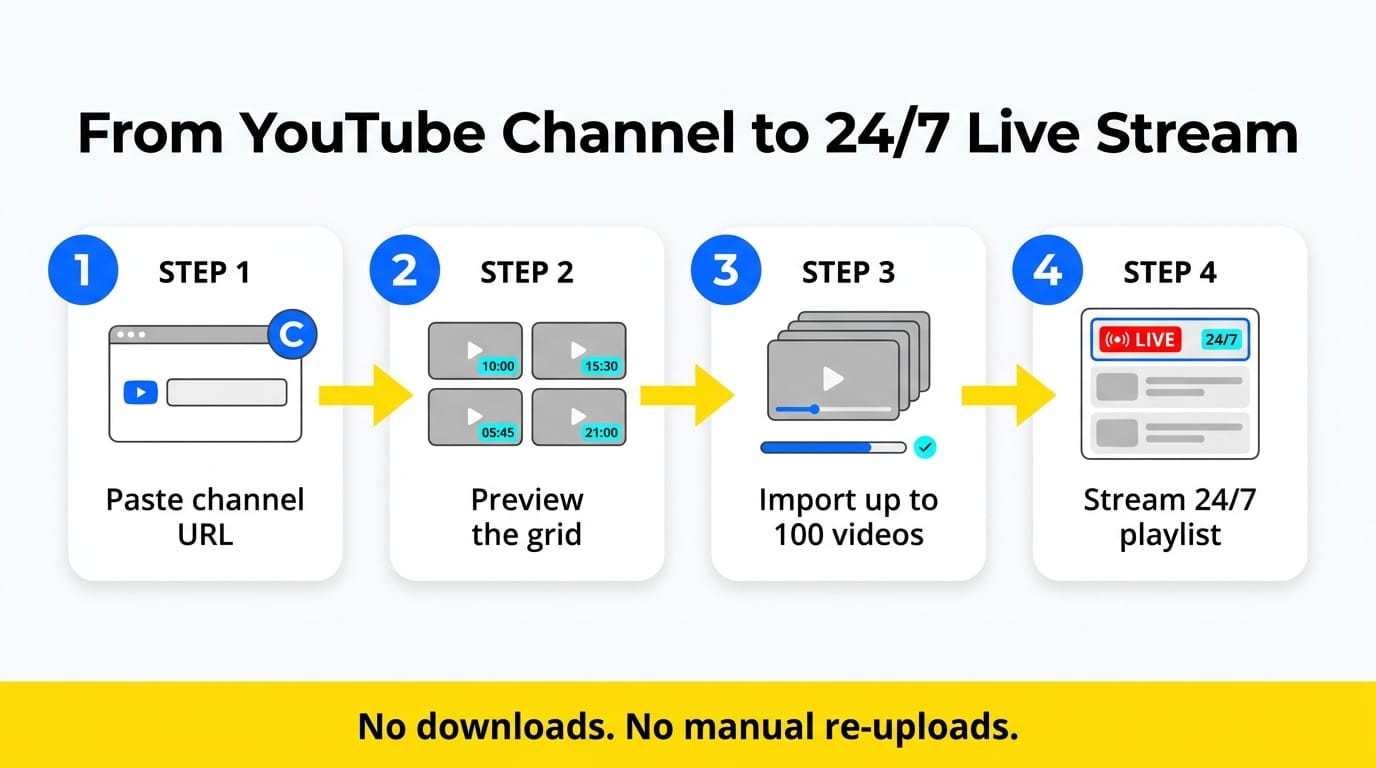
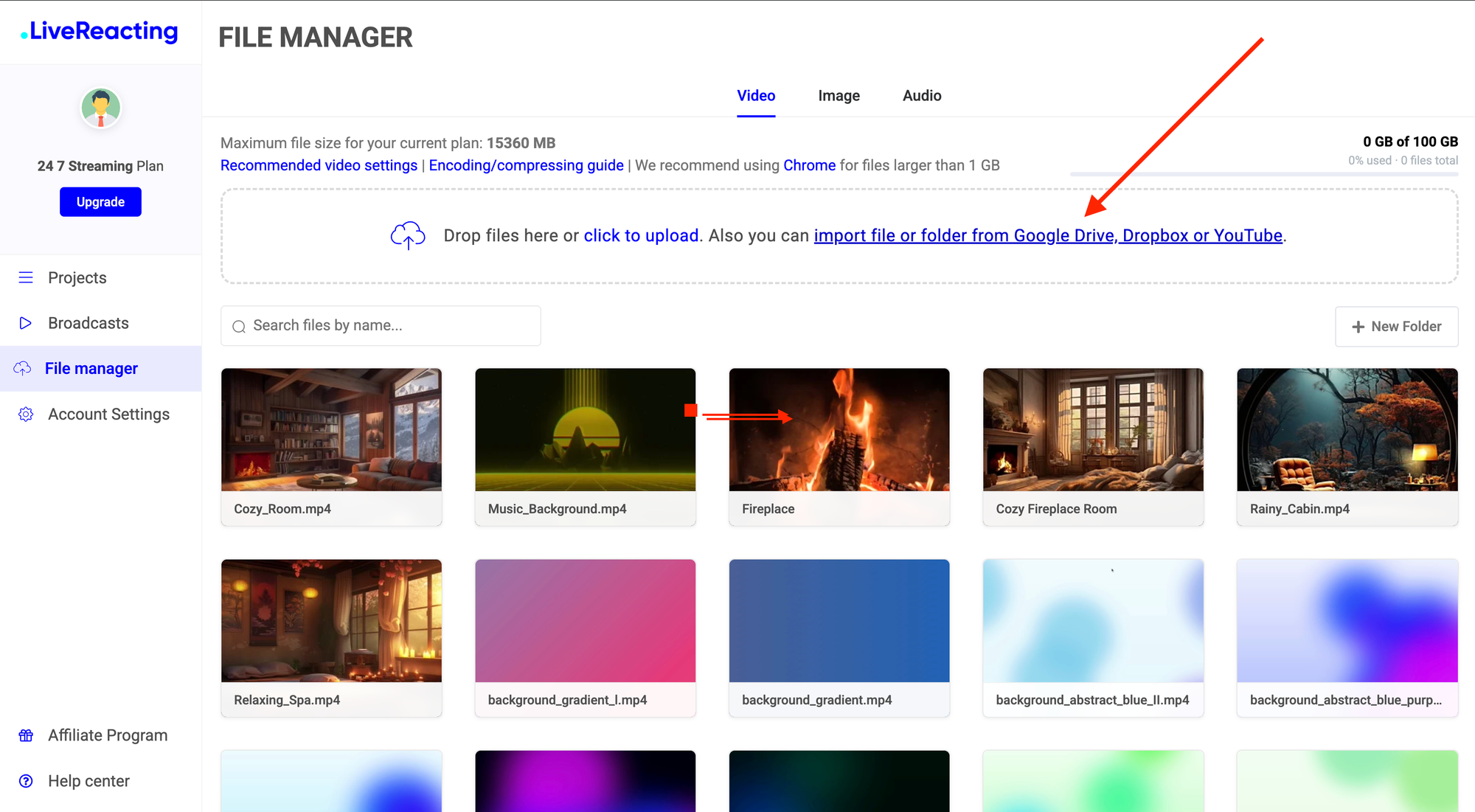
1. Create a new project with a playlist and click "add videos"
In the LiveReacting File Manager, click import file or folder from Google Drive, Dropbox or YouTube below the upload area. A URL input row appears.
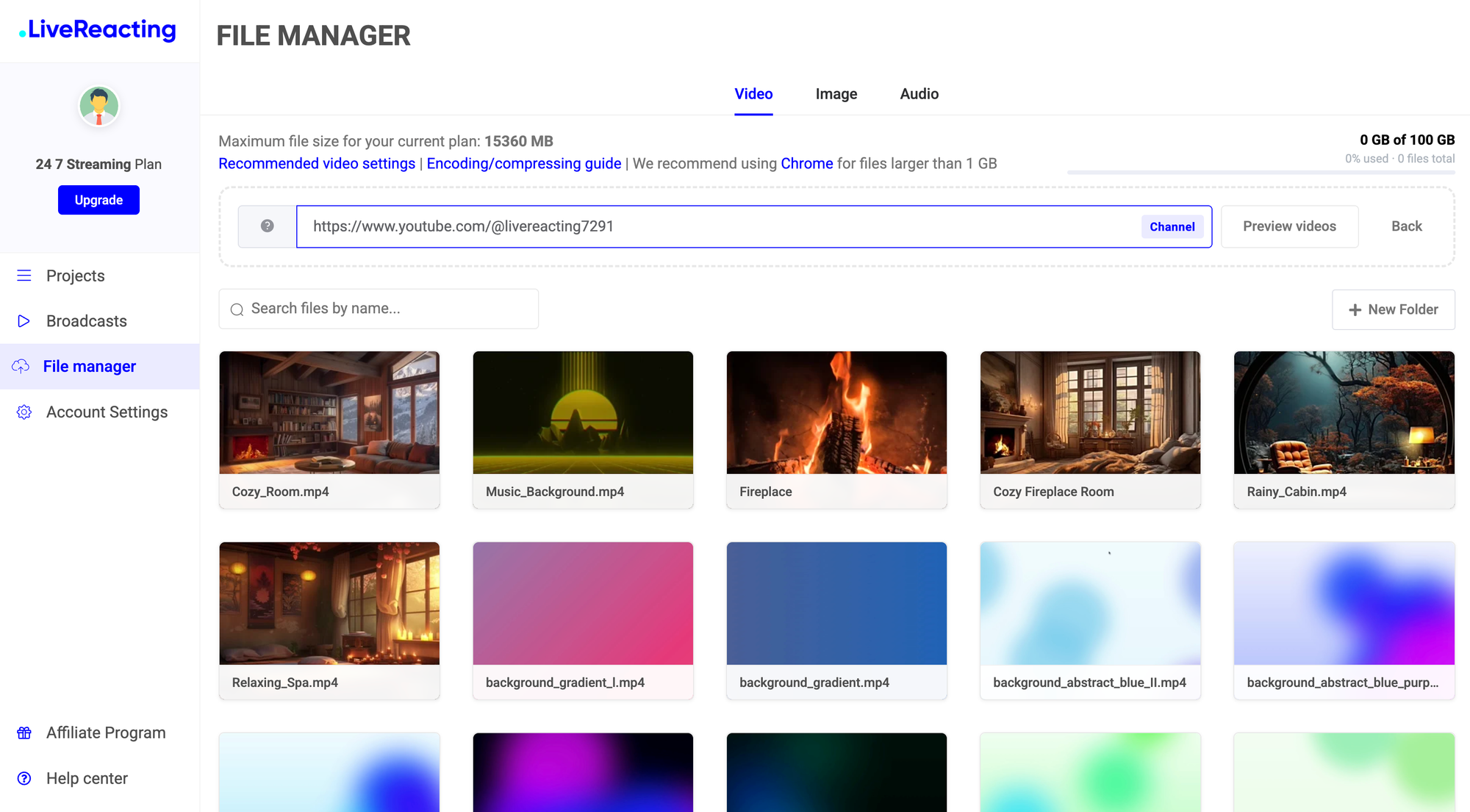
2. Paste your YouTube URL
Paste any of these and the app auto-detects the type, showing a badge in the input:
- Channel —
/@handle,/channel/UCxxx,/c/name, or/user/name - Playlist —
/playlist?list=PLxxxxxx - Video — a single video URL
So you can pull in your entire channel, one curated playlist, or a single clip with the same box.
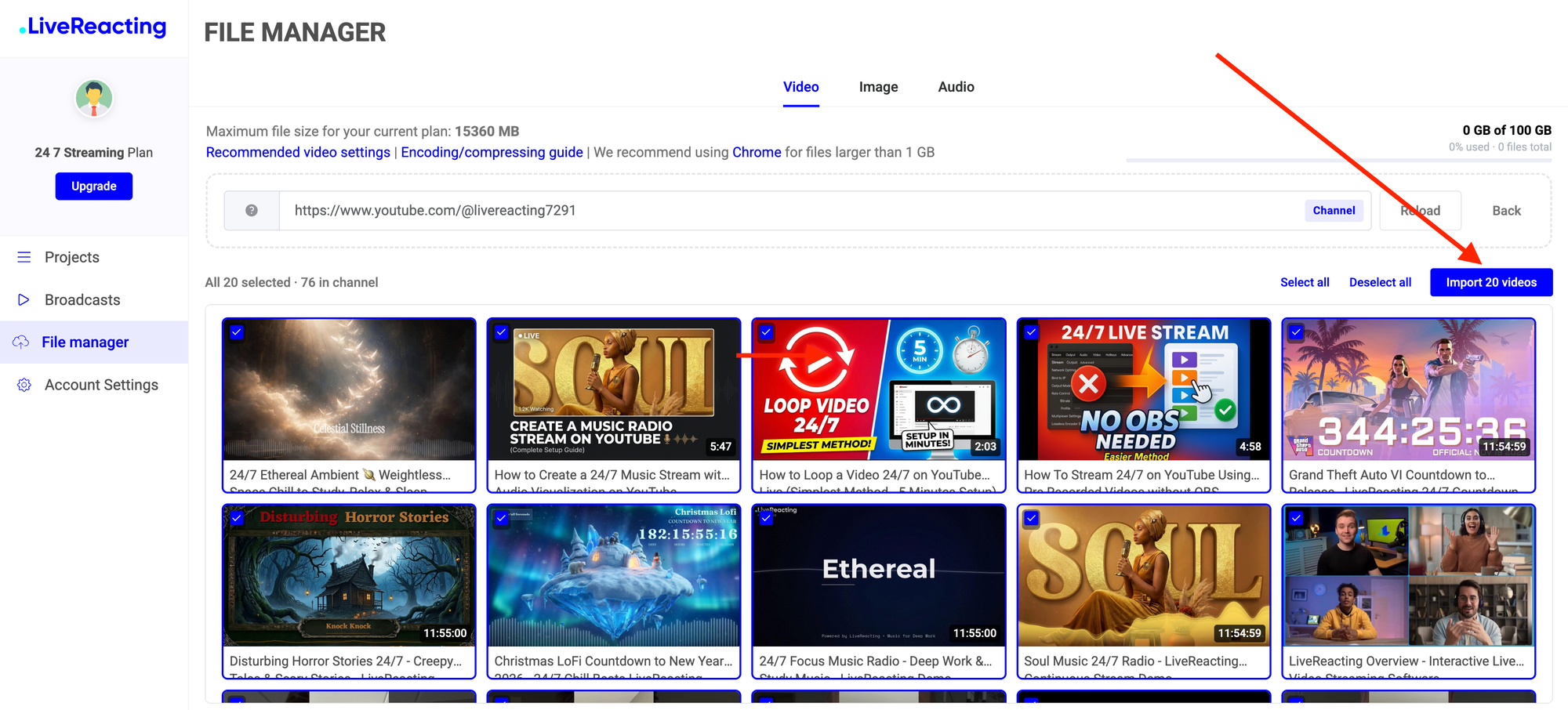
3. Preview and select
Click Preview videos. The first 20 videos load as a thumbnail grid with duration badges, all pre-selected. If there are more, click Load more videos to fetch 20 at a time. Your earlier selections are kept, so you can scroll the whole catalog and uncheck anything you don't want.
4. Import
Click Import N videos. A progress bar tracks each transfer. Every video becomes its own file in your media library when it finishes, encoded and ready to stream.
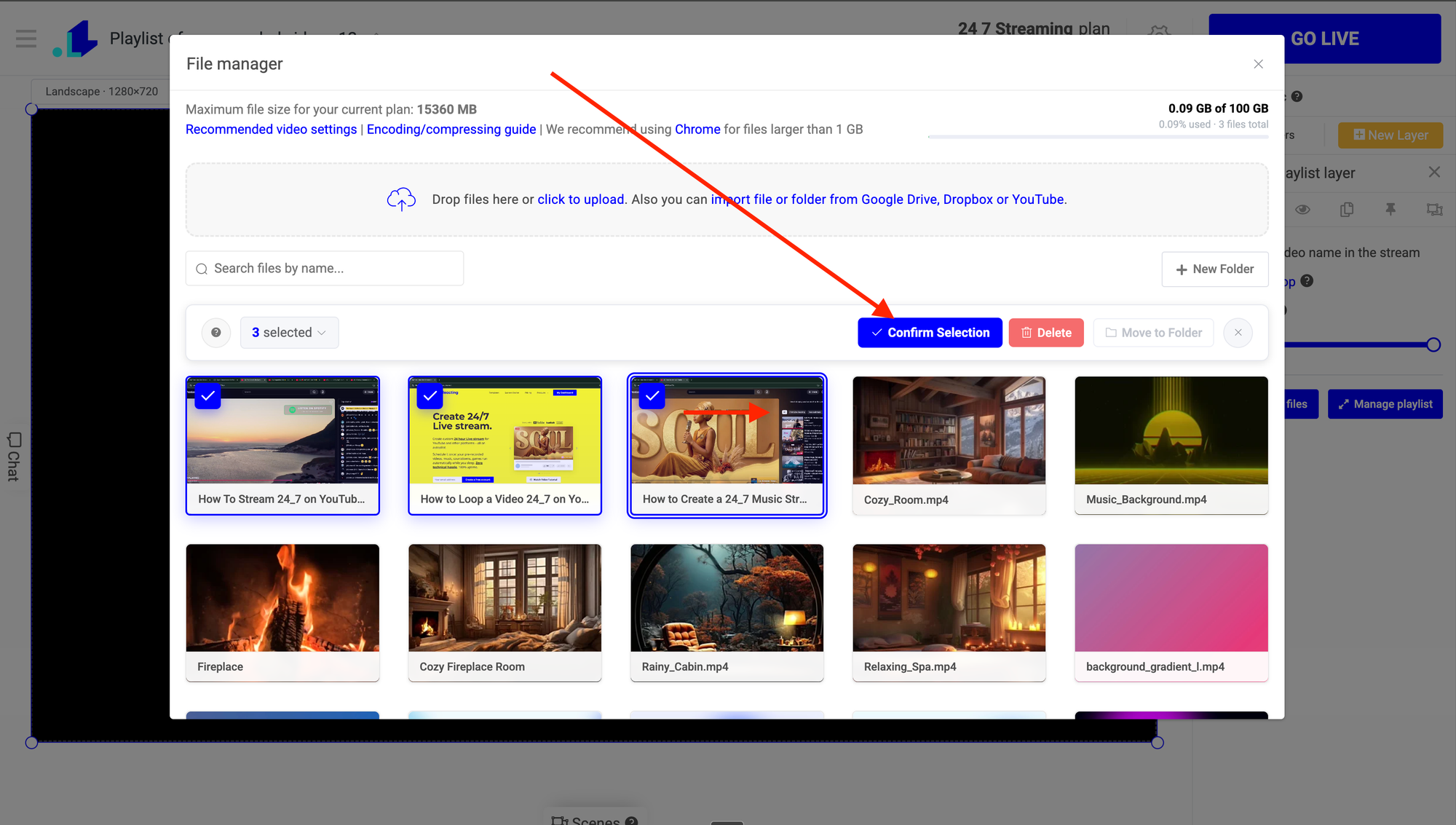
5. Build the playlist
Add a video playlist layer in the LiveReacting Studio and drag your imported videos into the order you want. Reorder, trim, or mix in newer uploads any time. For the full layer walkthrough, see how to stream a video playlist.
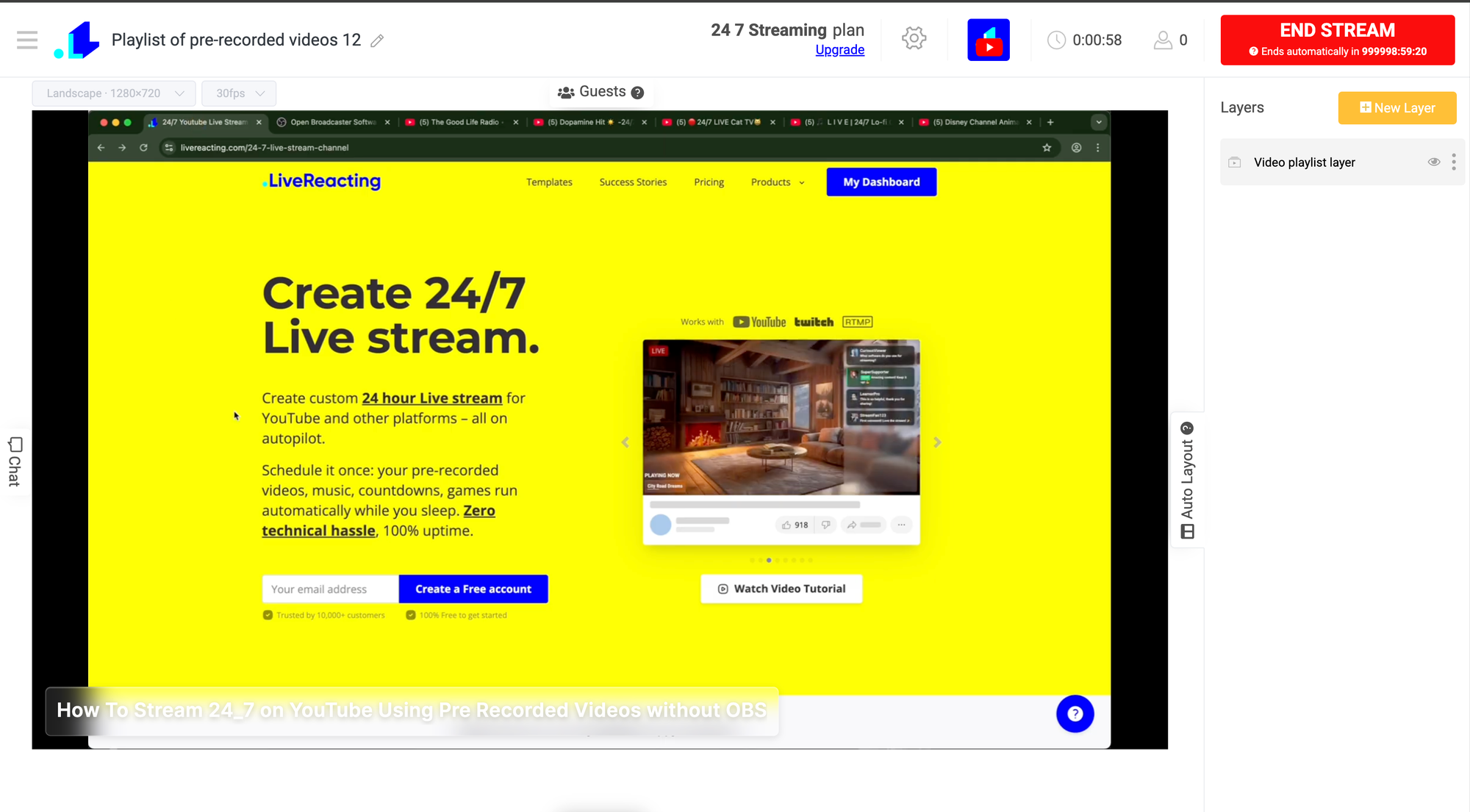
6. Connect YouTube and go live
Link your YouTube channel, set the stream title and description, and start the broadcast. The 24/7 plan runs unlimited duration at 1080p or 4K from the cloud, so the channel keeps streaming after you close the tab. Full setup is in our 24/7 YouTube channel guide, and you can do it all without OBS.
What you can import
A few limits worth knowing before you start:
- Up to 100 videos per batch. For a larger back catalog, run the import a few times.
- Public videos only. Private and region-locked videos are skipped, same as single-video imports.
- Channel, playlist, or single video. The badge tells you what LiveReacting detected before you import.
That covers most creator channels in one or two passes.
Keep the stream compliant
YouTube's Inauthentic Content policy targets low-effort, mass-produced loops, not genuine curated channels. Repurposing your own videos into a real schedule is exactly the kind of stream YouTube is fine with. To stay clearly on the right side of it:
- Curate a real running order instead of looping one clip endlessly.
- Add interactive overlays, polls, or trivia so the stream isn't a passive feed.
- Refresh the playlist as you publish new uploads.
Interactivity does double duty here. It keeps you policy-safe and it lifts watch time, which is the metric that matters next.
Why repurpose instead of letting videos sit
Every minute a public live viewer watches counts toward your channel the same as upload watch time. A 24/7 stream banks those hours around the clock, which is the fastest legitimate route through YouTube's monetization requirements and the 4,000 watch-hour bar.
Your back catalog is already produced and already paid for. A 24/7 stream turns it into a continuous viewing surface that earns watch time and ad revenue with no new filming. See the full breakdown of how much a 24/7 live stream can earn.
FAQ
Can I import an entire YouTube channel at once?
Yes. Paste the channel URL, preview the grid, and import up to 100 videos per batch. For larger channels, run the import again to pull the rest.
Do I need to download my videos first?
No. The bulk import pulls videos straight from the YouTube URL into your LiveReacting media library. No third-party downloader and no manual re-upload.
Can I import from a specific playlist instead of the whole channel?
Yes. Paste a playlist URL and LiveReacting imports just that playlist. It detects channel, playlist, and single-video URLs automatically.
Will a 24/7 stream of my old videos get flagged?
Not if it adds value. A curated schedule with interactive overlays is compliant. Looping one clip with no engagement is what the inauthentic-content policy targets.
Can I add new uploads to the playlist later?
Yes. Import new videos any time and reorder the playlist. You can update a running 24/7 stream without stopping it.
Bottom line
Repurposing your YouTube videos into a 24/7 live stream used to mean hours of downloading and re-uploading. Now you paste a channel URL, bulk import the catalog, build a playlist, and go live. Your existing content keeps earning watch time non-stop.
Start a 24/7 live stream and put your back catalog to work.
Transform Your Live Streams with LiveReacting
Join 10,000+ streamers who are boosting engagement and viewership by adding pre-recorded videos, games, polls, and countdowns to their streams.
Try LiveReacting for free today and take your streams to the next level!