
Comparing Best 24/7 Live Streaming Apps
The most popular and highly recommended streaming apps according to fellow streamers' experiences. In this article, we compare these top choices
Pricing and plan limits in this guide were verified against each vendor’s own pricing pages on August 12, 2026. Streaming tools reprice often, so check before you buy.
With so many tools and platforms out there offering different ways to broadcast 24/7 live streams, choosing the right one can be really overwhelming. That's why we’ve done the hard work for you. By going through countless Reddit threads and live streaming forums, we've identified the most popular and highly recommended streaming apps according to fellow streamers' experiences. In this article, we'll compare these top apps to help you find the perfect platform for your continuous live streaming needs.
Overview of the best apps for Streaming 24/7
LiveReacting
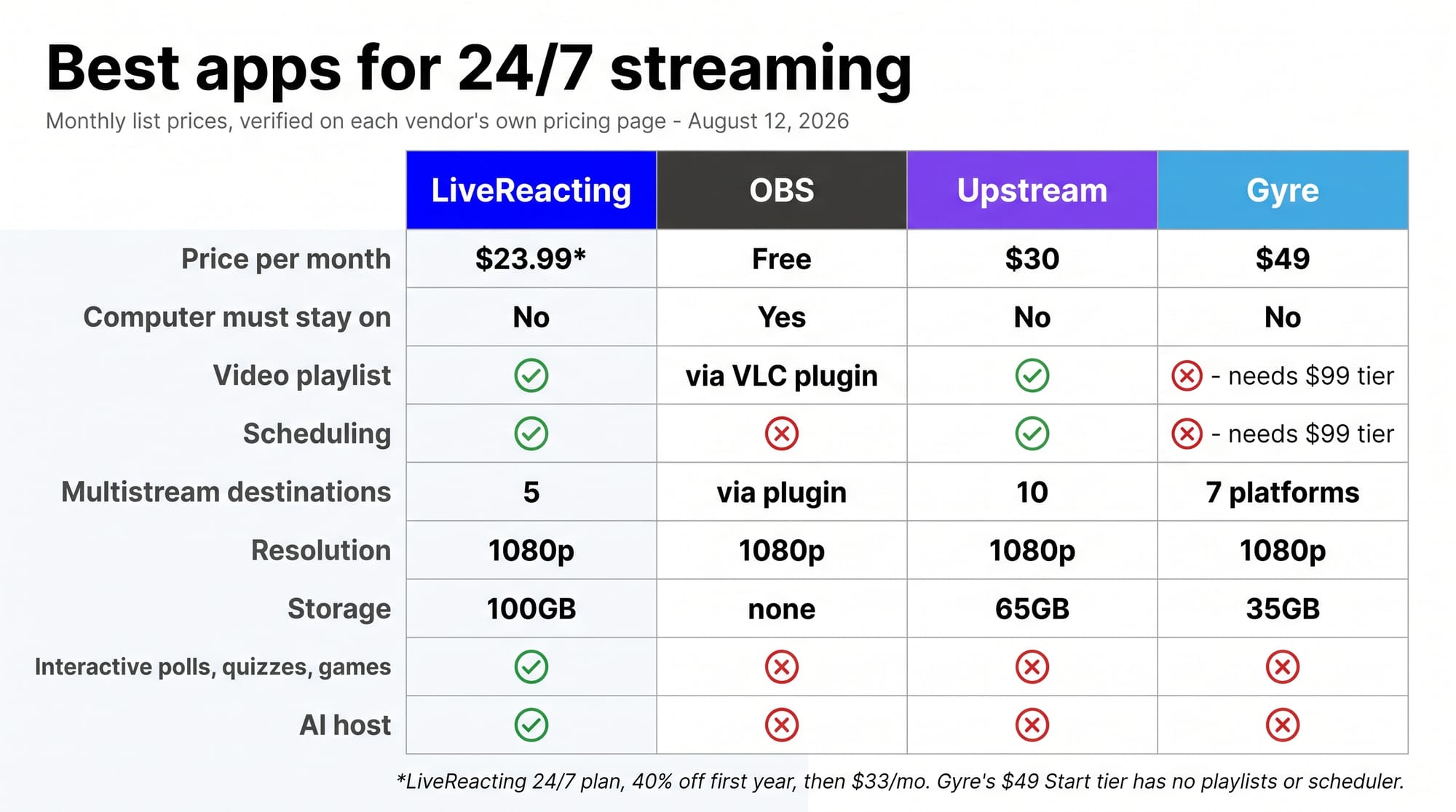
Price: $23.99/month on the dedicated 24/7 plan (40% off the first year, then $33/month)
Available Features:
- You don't need to keep your laptop on while streaming 24/7
- Stream a video playlist feature available (one video plays after another)
- Multistream to up to 5 destinations at the same time, plus RTMP out to any endpoint
- Stream in 1080p resolution
- You can schedule your streams in advance directly from the studio
- Custom branding (animated text, overlays, audio, gifs, layouts)
- 100GB of storage
- Interactive elements (polls, quizzes, games)
- Direct video file uploads from Dropbox, G-Drive, YouTube
- Invite up to 3 on-screen guests
- Update live stream without stopping the stream
- Doesn't require stable internet connection
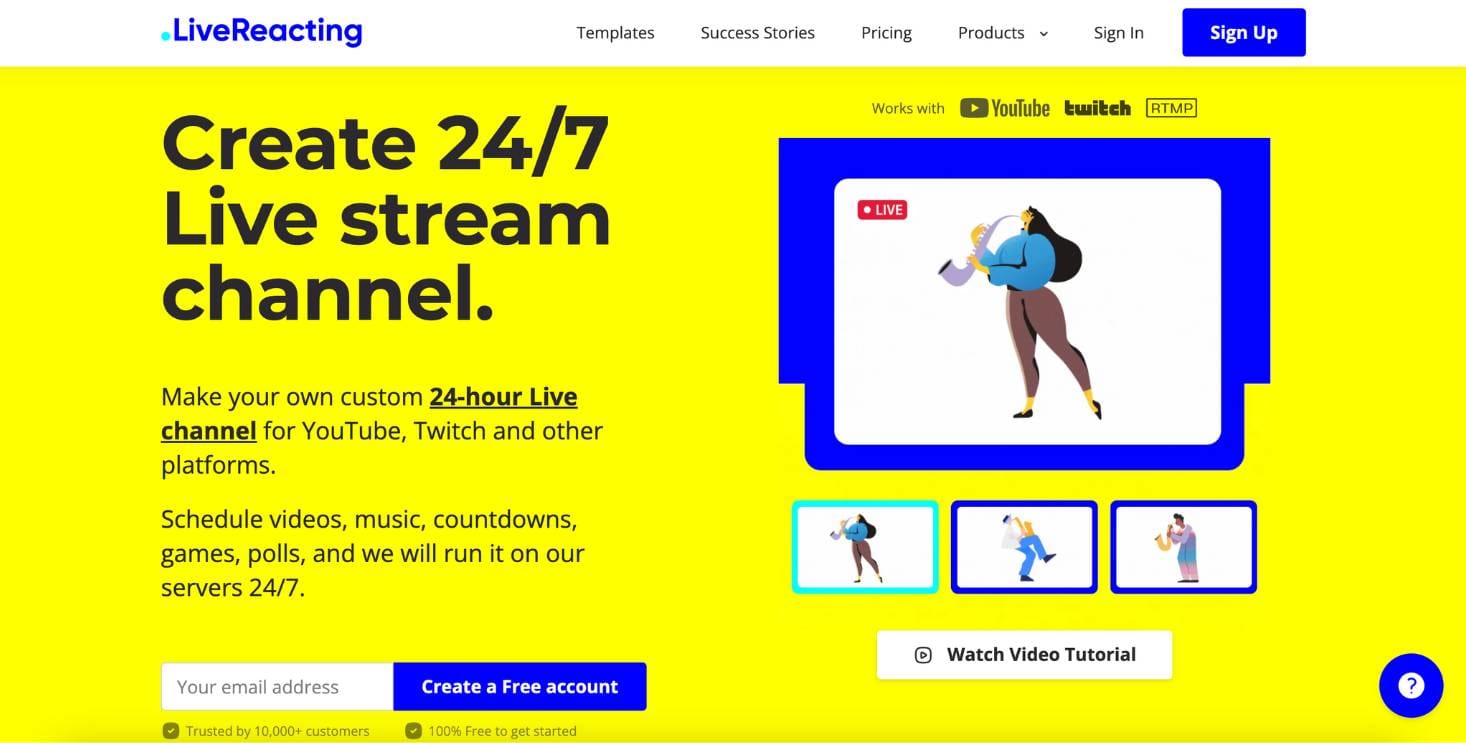
LiveReacting offers a great package, particularly appealing due to its ability to function without the need to keep your laptop running. It’s feature-rich, with options like playlist streaming and interactive elements, making it suitable for dynamic, engaging streams that get more attention from viewers. The ability to multistream and invite guests adds to its functionality.
OBS
Price: Free
Key Features:
- Requires keeping your laptop on all the time
- Playlist streaming via VLC plugin (or some other plugins)
- Multistreaming is available
- 1080p resolution
- Direct scheduling is not supported (you need to schedule your stream directly on a platform to which you plan to stream f.e. Youtube)
- You are flexible to add custom branding (text, overlays)
- Ability to upload files from Dropbox, G-Drive, YouTube
- Live updates require stopping the stream
- Requires a stable internet connection throughout
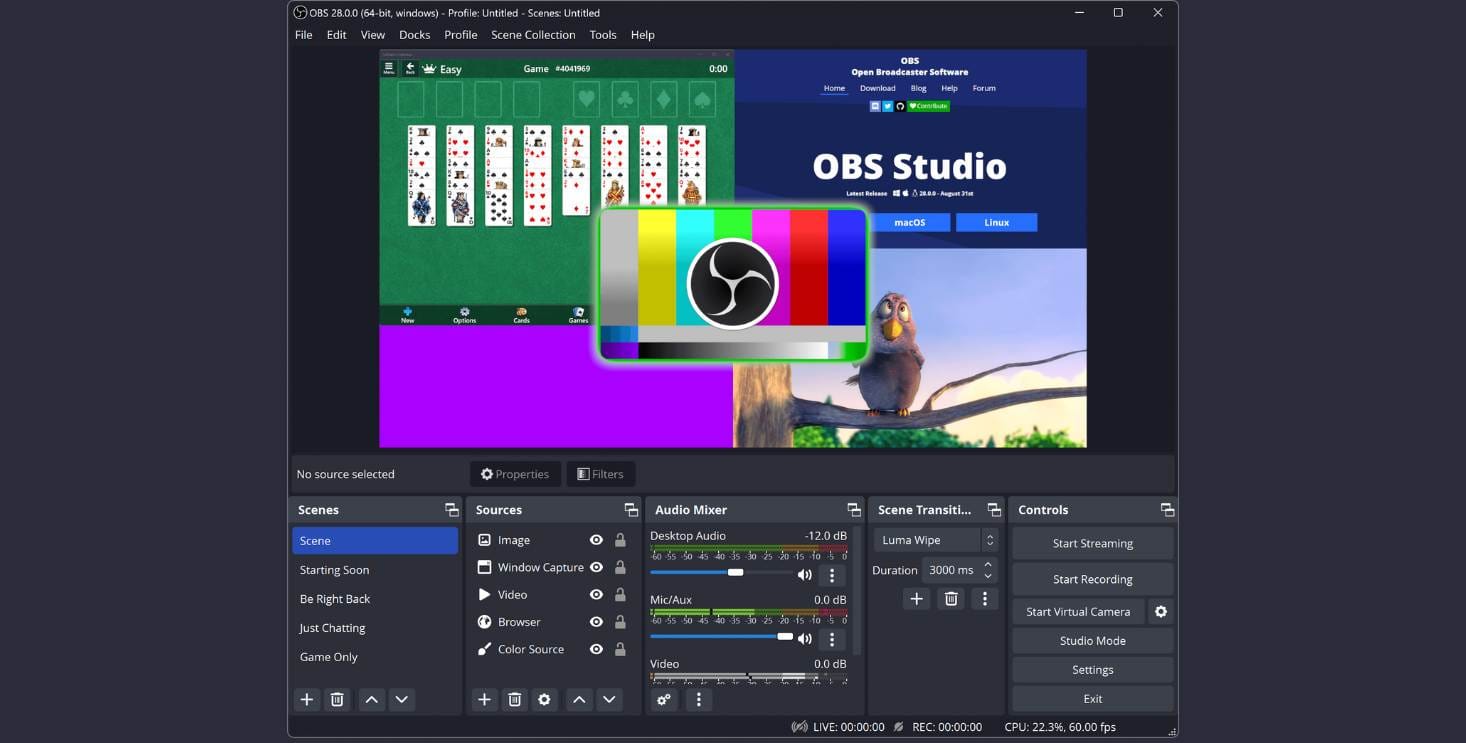
OBS is the go-to option for many because it's free and allows powerful customization. But, it does demand that your laptop stays on while you're streaming (what is quite demanding). It's a good option for those looking for a no-cost solution and don’t mind the technical upkeep.
Upstream
Price: $30/month
Key Features:
- You don't need to keep your laptop on
- Playlist streaming is supported
- Multistreaming to up to 10 destinations, included on every plan
- 1080p resolution
- Scheduling, included on every plan (Upstream states its free and paid plans share the same feature set)
- Custom branding is possible (text, overlays)
- 65GB of storage
- Doesn't require a stable Internet connection
Upstream is the closest like-for-like alternative for continuous streaming, and at $30/month it undercuts LiveReacting’s dedicated 24/7 plan. Storage is the other way round to what you might expect: 65GB on Upstream against 100GB on the LiveReacting 24/7 plan. What it doesn’t have is any interactive layer, an AI host, or on-screen guests, so the stream plays but never reacts.
Gyre
Price: $49/month
Available Features:
- You don't need to keep your laptop on
- 1080p resolution
- Custom branding (text, overlays)
- 35GB of storage
- Live updates require stopping the stream
- Does not require a stable internet connection
The bigger catch with Gyre isn’t the price, it’s what the entry plan leaves out. Gyre’s own pricing page shows the $49 Start tier with no playlists and no stream scheduler; both arrive on Start+ at $99/month. So a programmed channel really costs $99, not $49. Storage is 35GB on Start, and there are no interactive features on any tier.
Conclusion
When comparing all the available features, LiveReacting and Upstream come out as the best two options to consider for 24/7 streaming.
- LiveReacting is ideal for those wanting a wide range of features, ease of use, and not having to keep their laptop on. Its 24/7 plan is $23.99/month for the first year, and lets you focus on content rather than technical upkeep. Multistreaming and interactive elements like polls, quizzes, and games can also significantly help to boost viewer engagement and reach. Its ability to upload files from popular cloud services makes it a convenient platform, perfect for those who want to save time.
- Upstream lists at $30/month, against $23.99/month for LiveReacting’s 24/7 plan on the current first-year offer, and it carries less storage (65GB against 100GB). Multistreaming and scheduling are included on every Upstream plan, including the free one, so the trade-off isn’t features-for-price in the usual sense. What you give up is the interactive layer: no polls, quizzes, games, AI host, or on-screen guests.
Choosing either LiveReacting or Upstream ensures you have a reliable, feature-rich solution tailored to your specific streaming needs. Your choice comes down to whether you want the stream to interact with viewers, or simply to play reliably with no interactive layer at all.
Transform Your Live Streams with LiveReacting
Join 10,000+ streamers who are boosting engagement and viewership by adding pre-recorded videos, games, polls, and countdowns to their streams.
Try LiveReacting for free today and take your streams to the next level!